Redeeming a Fortnite code only takes a couple of minutes, but Epic uses three different pages depending on what you have. A Fortnite gift card goes to epicgames.com/redeem, an older V-Bucks card goes to fortnite.com/vbuckscard, and a promotional code for a skin or other cosmetic goes to fortnite.com/redeem.
None of these codes go into Fortnite itself, and codes sold for a specific console are redeemed in the PlayStation Store, Microsoft Store, or Nintendo eShop instead. Here is how to redeem Fortnite codes of every type on PC, consoles, and mobile, along with fixes for the errors that stop a code from working.
Where to enter a Fortnite redeem code
Where a Fortnite redeem code goes depends on the type of code, and the card or email it came with usually tells you which one you have. The table below shows where each code goes and what it adds to your account once it is redeemed.
| Code type | How to recognize it | Where to redeem it | What you get |
|---|---|---|---|
| Fortnite gift card | Says Fortnite Gift Card and shows a cash amount, with a QR code and a 16-digit PIN on the back | epicgames.com/redeem | Funds in your Epic Games account balance |
| V-Bucks card | Shows a V-Bucks amount, such as 1,000 V-Bucks, with a PIN under a scratch-off panel | fortnite.com/vbuckscard | A set amount of V-Bucks |
| Promo code | Comes with a partner product, such as a controller, a movie ticket, or a retail bundle | fortnite.com/redeem | A specific item in your Locker |
| Epic Games Store product code | A key for the Epic Games Store bought from another retailer | Redeem Code in the Epic Games Launcher or on the Epic Games Store website | The game or add-on in your library |
| Console code | Sold for one platform, with 12 digits for PlayStation, 25 characters for Xbox, or 16 for Nintendo | PlayStation Store, Microsoft Store, or Nintendo eShop | Content or funds on that console account |
It’s important to note that a code usually works once and stays with whichever account redeemed it. Epic says V-Bucks and account balance can’t be moved between accounts, so a quick account check before you redeem can save you a support ticket later.
Check your Epic Games account before you redeem
Gift cards, V-Bucks cards, and promo codes attach to the Epic Games account that is signed in at the time, and that isn’t always the account your console uses. Console players should pick the PlayStation, Xbox, or Nintendo option on Epic’s sign-in screen, as that opens the Epic account linked to their console.
The surest check is the account ID. Fortnite shows it in the Account and Privacy tab of its Settings, and it should match the ID on your Account page at epicgames.com. If the two don’t match, our guide to Fortnite crossplay and account linking explains how to connect a console to the right account.
How to redeem a Fortnite gift card
Fortnite gift cards add money to your Epic Games account balance rather than V-Bucks, and Epic has been rolling them out as the replacement for V-Bucks cards since June 2025. You redeem them on the Epic Games redeem page at epicgames.com/redeem, whichever platform you play on.
To redeem a Fortnite gift card, follow these steps:
- Scan the QR code on the back of the card and select Redeem. If the code won’t scan, go to epicgames.com/redeem and enter the 16-digit PIN instead.
- Sign in with the Epic Games account you play Fortnite on, or with the console account you want to use.
- Check that the account information is correct and select Yes, Continue.
- If Epic asks you to link additional accounts, link them and select Done linking.
- Review the details and select Redeem now.
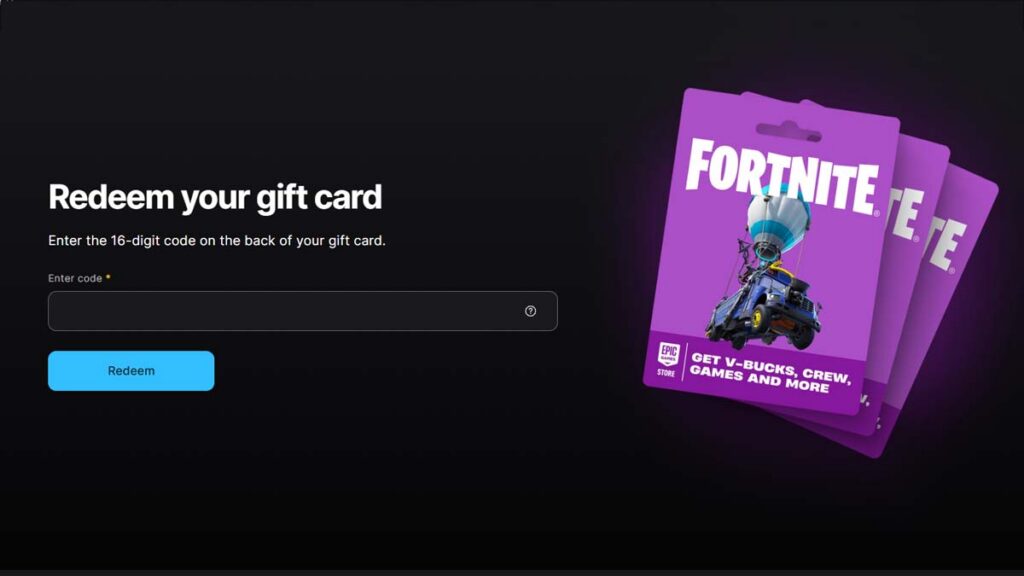
The PIN sits under a silver strip on the back of the card. Epic recommends peeling the strip off rather than scratching it, as scratching can damage the code. A digital gift card has its code in the purchase email, and a physical card with no visible code should have one printed on the receipt.
Epic also asks you to accept its Account Balance terms on the Payment Settings page. Each card is added in full, since Epic doesn’t allow partial redemptions, and the balance can’t go above $500 or the local equivalent, or €250 in Germany. If a card would take you past that limit, spend some of the balance first.
Gift cards also work on Cabined Accounts, which Epic uses for players under 13 or under their country’s age of digital consent. However, those accounts can only spend the balance on Epic’s own games, such as Fortnite, and Fortnite Crew is excluded. According to Epic, redeeming a card doesn’t require a Parental Controls PIN.
Until December 31, 2026, the first new Fortnite gift card you redeem also adds the GHOST Monks Outfit to your Locker. The card has to go on the Epic account you play Fortnite on, and V-Bucks cards don’t qualify for the offer.
How to use a Fortnite gift card on PlayStation, Xbox, and Switch
A Fortnite gift card is always redeemed on Epic’s website, never in the PlayStation Store, Microsoft Store, or Nintendo eShop. Fortnite on consoles uses the console’s own store for purchases, so Epic’s instructions are to buy V-Bucks through the Epic Games Store or Fortnite on PC or mobile, selecting Account Balance at checkout.
V-Bucks bought with the balance land in the Shared Wallet, so they also show up on PlayStation, Xbox, and cloud gaming. Unfortunately, Nintendo consoles sit outside it. Fortunately, Switch players can spend those V-Bucks in the web Item Shop, and the items appear on Switch if the Nintendo account is linked to the same Epic account.
How to redeem a V-Bucks card
V-Bucks cards are the older prepaid cards that add a set number of V-Bucks to your account and nothing else. While Epic is replacing them with Fortnite gift cards, some retailers still sell them, and any card you already own can still be redeemed at fortnite.com/vbuckscard.
To redeem a V-Bucks card, follow these steps:
- Go to fortnite.com/vbuckscard and sign in. Console players can use their PlayStation, Xbox, or Nintendo login.
- Select Get Started.
- Carefully scratch off the panel on the back of the card and enter the PIN without dashes.
- Choose the platform you want the V-Bucks on and select Next.
- Check that the account, platform, and new balance are correct, then select Confirm.
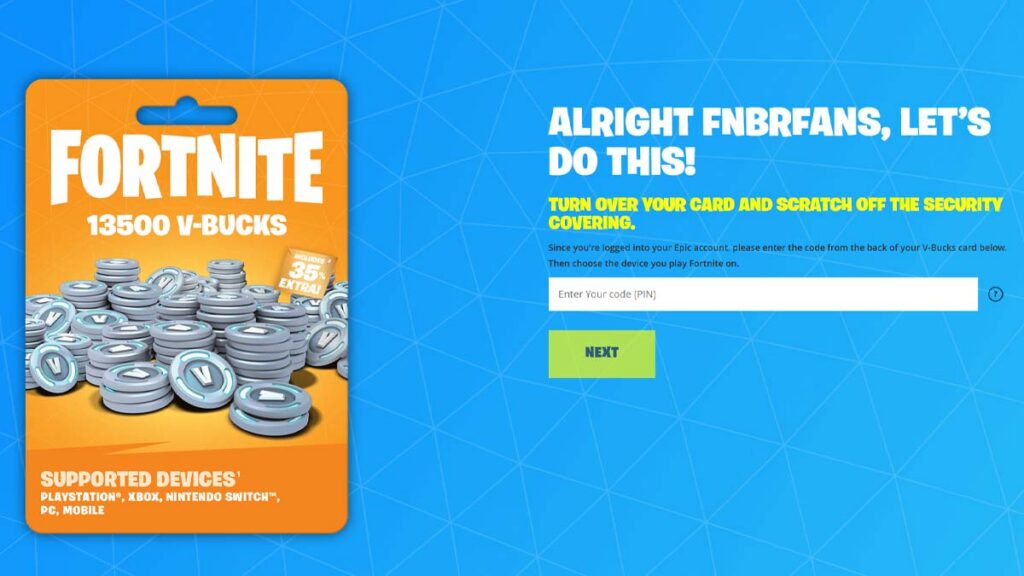
On PC, mobile, and Nintendo Switch, the V-Bucks are ready the next time you launch Fortnite. However, choosing PlayStation or Xbox adds one more step. Epic gives you a 12-character code for PlayStation or a 25-character code for Xbox and directs you to sign in to that console account, where the code is redeemed.
V-Bucks redeemed to PlayStation, Xbox, PC, or mobile go into the Shared Wallet and work on all of those platforms, plus cloud gaming. V-Bucks redeemed to a Nintendo console, on the other hand, can only be used on Nintendo devices. A console missing from the list means you are signed in to an Epic account that isn’t linked to it.
Keep the receipt until the V-Bucks show up, as Epic may ask for it if something goes wrong. V-Bucks cards have no fees or expiration dates, but a card with a region’s flag in the upper-left corner only works on an Epic or console account from that region.
How to redeem Fortnite promo codes for skins and cosmetics
Promotional codes unlock a specific outfit, emote, or other item, and they usually come with a partner product, such as a controller, a movie ticket, or a retail bundle. Epic sends these codes to fortnite.com/redeem, and most of them can only be used once.
To redeem a Fortnite promo code, follow these steps:
- Go to fortnite.com/redeem and sign in with the Epic Games account you play on.
- Type the code exactly as it is printed.
- Select Redeem and wait for the confirmation message.
- Restart Fortnite and open your Locker to find the item.
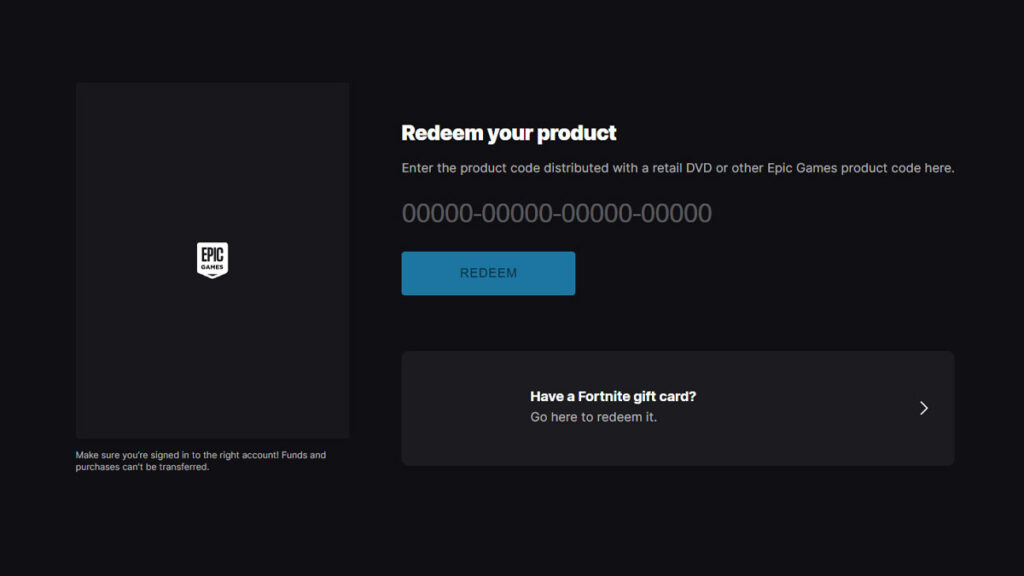
Promo codes follow the terms of the promotion they came from, and many have a start date and a deadline. Epic Games Support generally can’t replace a lost or damaged promo code, and a code that never arrived has to come from the retailer that sold the product.
Epic rarely releases public codes that anyone can use, so be careful with lists that promise free skins or V-Bucks. Code generators and survey sites are scams, and many of them exist to steal Epic logins. Enter codes only on Epic’s own pages, and never share your password to claim a reward.
How to redeem Fortnite codes on PC, consoles, and mobile
Epic’s redemption pages work the same in any browser, so gift cards, V-Bucks cards, and promo codes can be redeemed from a phone or computer even if you only play on a console. Codes sold for the Epic Games Store or for one console’s store are different, and each of those has its own redeem menu.
PC and the Epic Games Launcher
Product codes for the Epic Games Store, such as game keys bought from other retailers, are redeemed in the Epic Games Launcher on PC. The Epic Games Store website offers the same Redeem Code option, which works in any browser if you don’t have the launcher installed.
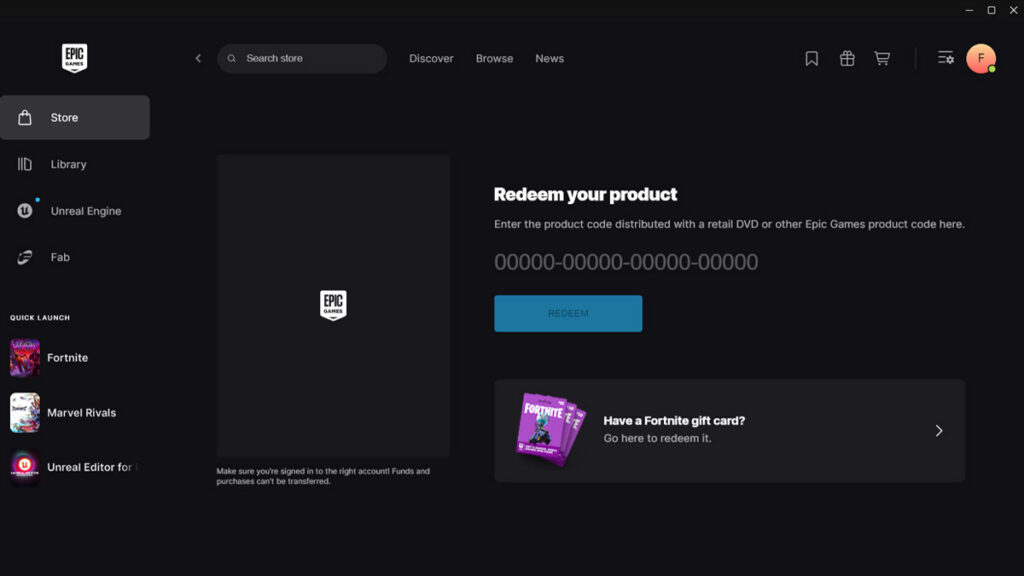
To redeem a code in the Epic Games Launcher, follow these steps:
- Open the Epic Games Launcher and sign in.
- Click your name in the upper-right corner.
- In Epic’s newer launcher design, click the Epic Games logo in the top-left corner instead.
- Select Redeem Code.
- Enter the code and click Redeem.
PlayStation 5 and PlayStation 4
PlayStation codes contain 12 digits and go into the PlayStation Store. That covers Fortnite packs sold for PlayStation, PlayStation Store gift cards, and the second code you get when a V-Bucks card is redeemed to PlayStation.
To redeem a code on PS5, follow these steps:
- Open the PlayStation Store and press the triangle button.
- Select More, the icon with three dots, and then Redeem Code.
- Enter the 12-digit code and select Redeem.
On PS4, Redeem Codes sits at the bottom of the PlayStation Store sidebar instead. PlayStation Store funds then buy V-Bucks inside Fortnite on the console, and Sony only accepts a voucher on an account from the same region as the flag printed on it.
Xbox Series X|S and Xbox One
To redeem a code on Xbox, follow these steps:
- Press the Xbox button to open the guide and select Store.
- Press the View button to open the side menu, then select Redeem.
- Enter the 25-character code, select Next, and follow the prompts.
Microsoft also accepts codes in a browser at redeem.microsoft.com, as long as you sign in with the Microsoft account your console uses. Fortnite packs sold for Xbox and the 25-character code from a V-Bucks card both go through either route.
Nintendo Switch 2 and Nintendo Switch
To redeem a code on Nintendo Switch 2 or Nintendo Switch, follow these steps:
- Select Nintendo eShop on the HOME Menu.
- Select Redeem Code on the left side of the screen.
- Enter the 16-character download code.
Some retail cards print both a control number and a download code, and the download code is the one without hyphens. Nintendo also lets you redeem codes on its website, as long as the account has opened Nintendo eShop on a console at least once.
iPhone, iPad, and Android
Mobile players don’t need an extra app to redeem anything. Open the right Epic page in your phone’s browser, or scan a gift card’s QR code with the camera to go straight to the redemption screen. Items you unlock then appear in Fortnite on every device linked to that Epic account.
Codes that don’t go on a Fortnite redeem page
Not every Fortnite code is a redeem code. Island codes, written as three groups of four digits like 1234-5678-9012, open Creative maps and are entered in the game. Select Play in the top-left corner, scroll down to the Search bar, and type the code there, the same way you would load any of the best XP maps in Fortnite.
Creator codes are different again. They support a content creator when you spend V-Bucks in the Item Shop, but they don’t unlock anything for you. To add one, open the Shop tab in Fortnite, select Support-A-Creator at the bottom of the screen, and enter the code.
Fortnite redeem code not working? Common errors and fixes
Most failed redemptions come down to the wrong page, the wrong account, or a card the store never activated. The table below lists the common messages and problems, along with the fix for each one.
| Problem | Fix |
|---|---|
| “This code has not been activated. Please see your retailer” or “The retailer/distributor has not activated this code” | The store didn’t activate the card at checkout. Take the card and receipt back to the retailer, as Epic Games Support can’t activate cards |
| A V-Bucks card PIN shows as invalid | Select Get Started at fortnite.com/vbuckscard and re-enter the PIN without dashes. If it still fails, the card wasn’t activated, so contact the retailer |
| A gift card or V-Bucks card is rejected | Check the page. Gift cards belong at epicgames.com/redeem and V-Bucks cards at fortnite.com/vbuckscard |
| “We are sorry, but your PlayStation/Microsoft account country does not currently support V-Bucks cards.” | Contact Sony or Microsoft support, which is where Epic sends players with this error |
| Your console is missing from the V-Bucks card platform list | You are signed in to an Epic account without that console linked. Sign out and sign back in with the console’s logo |
| The card was bought in another country | Cards with a region flag only work on accounts from that region, and Fortnite gift cards have to match your balance’s currency |
| The code shows as already used | Check the other Epic accounts you use, including any created on a console. If the code was new, contact the store that sold it |
| The code went to the wrong account | Players can’t move V-Bucks or balance. For a V-Bucks card, contact Epic Games Support with a photo of the card and a screenshot of the correct account ID |
| A gift card won’t fit in your balance | The balance is capped at $500 or the local equivalent (€250 in Germany), and cards are redeemed in full. Spend some of the balance first |
| A promo code doesn’t work yet or anymore | Check the start date and deadline in the promotion’s terms |
| V-Bucks from a gift card are missing on Switch | Nintendo isn’t part of the Shared Wallet. Spend those V-Bucks in the web Item Shop instead |
| The code is scratched or unreadable | For a gift card, check the receipt for a printed code. For a V-Bucks card, contact Epic Games Support, which has a separate process for damaged cards. Lost or damaged promo codes can’t be replaced |
| The item or V-Bucks don’t appear | Restart Fortnite, then compare the account ID in Fortnite’s Settings with the one on your Epic account page |
A redeemed balance or a new outfit makes your account more valuable, so it’s worth protecting it with Fortnite’s two-factor authentication, which also unlocks gifting. In the meantime, our list of free Fortnite skins shows which outfits you can claim without any code, while you can sharpen your skills using our ultimate Fortnite guide to getting better at the game.
Frequently Asked Questions
Fortnite gift cards are redeemed at epicgames.com/redeem, V-Bucks cards at fortnite.com/vbuckscard, and promo codes for cosmetics at fortnite.com/redeem.
No, gift cards, V-Bucks cards, and promo codes are all redeemed outside Fortnite.
A V-Bucks card adds a fixed number of V-Bucks and can’t be used for anything else. A Fortnite gift card adds money to your Epic account balance, which can buy V-Bucks, Fortnite Crew, packs, and Epic Games Store games.
V-Bucks cards have no expiration dates or fees, and Epic’s terms say non-promotional Fortnite gift card balances don’t expire either.
Usually not. V-Bucks cards with a region flag only work on Epic or PlayStation accounts from that region, and cards sold in several European countries, Japan, Australia, and New Zealand have territory restrictions.
Players can’t move V-Bucks or account balance between accounts themselves, and Epic doesn’t refund V-Bucks. For a V-Bucks card, Epic may be able to help, so contact Epic Games Support with a photo of the card and a screenshot of the account ID where the V-Bucks should have gone.
Some are, but they are rare and usually come from official partner promotions with a deadline.