You can play Fortnite without downloading it through cloud gaming, which runs the game on remote servers and streams the picture to your browser, phone, Chromebook, Mac, or TV. Epic Games officially supports three cloud services for Fortnite: Xbox Cloud Gaming, NVIDIA GeForce NOW, and Amazon Luna.
We recommend starting with Xbox Cloud Gaming, as it only needs a free Microsoft account and a supported browser. GeForce NOW also has a free tier, while Amazon Luna includes Fortnite with Prime. Here is how to start on each service, where each one works, and the limits worth knowing before you try Fortnite cloud gaming.
Which Fortnite cloud gaming service should you use?
All three services stream the full version of Fortnite, and your Locker and progress come with you once your Epic Games account is linked. The differences come down to cost, controls, and the devices each one covers, which the table below compares side by side.
| Service | Cost | Browser play | Devices | Controls |
|---|---|---|---|---|
| Xbox Cloud Gaming | Free with a Microsoft account, in sessions of up to one hour | Yes, at xbox.com/play | Windows PC, Mac, Chromebook, iPhone, iPad, Android, select smart TVs | Controller, touch on phones and tablets, keyboard and mouse in Edge or Chrome on computers |
| GeForce NOW | Free tier with ads, queues, and one-hour sessions, or paid Performance and Ultimate plans | Yes, at play.geforcenow.com (Android uses the GeForce NOW app) | Windows PC, Mac, Chromebook, Linux, iPhone, iPad, Android, smart TVs, Steam Deck | Controller, touch on phones and tablets, keyboard and mouse on computers |
| Amazon Luna | Included with Amazon Prime or Luna Premium | Yes, at luna.amazon.com | Windows PC, Mac, Chromebook, iPhone, iPad, Android, Fire TV, select smart TVs | Controller, touch on phones and tablets, keyboard and mouse on Windows, Mac, and Chromebook |
Xbox Cloud Gaming is the simplest place to start, but it isn’t the right pick for everyone. GeForce NOW is the only one of the three with Linux and Steam Deck apps, and its paid plans offer longer sessions, while Luna makes sense for Amazon Prime members.
How to play Fortnite on Xbox Cloud Gaming for free
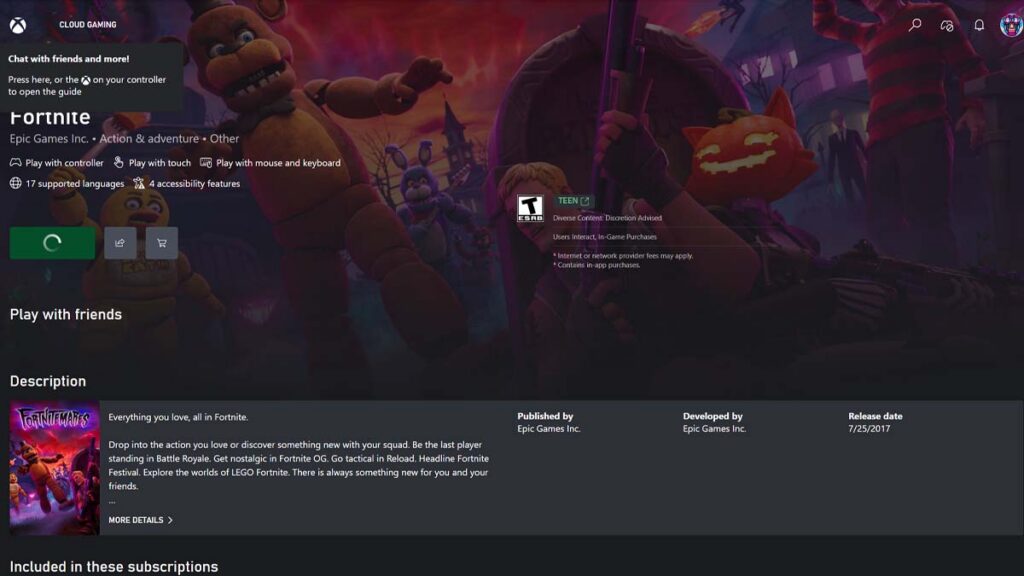
Xbox Cloud Gaming normally requires a Game Pass plan, but Fortnite is available for free to anyone with a Microsoft account. The popular game also has touch controls on phones and tablets, so a controller is optional there. Here is how to start playing:
- Open the Fortnite page on Xbox Cloud Gaming in your web browser.
- Select Sign in and log in with your Microsoft account, or create one for free.
- Set up an Xbox profile if Microsoft asks for one.
- Under Play with, choose Controller or Touch, then select Play.
- If Fortnite asks you to sign in, use the Epic Games account you play on elsewhere.
Fortnite on Xbox Cloud Gaming uses your Xbox profile, so it loads whichever Epic Games account that profile is linked to. If your Locker looks empty, the profile is probably linked to a different account, and our guide to Fortnite crossplay and account linking explains how to fix it.
The name above your character may look different, too. Xbox Cloud Gaming streams the console version of Fortnite, so it will likely show your Xbox gamertag rather than your Epic display name. If you want the same name everywhere, you can check how to change name in Fortnite.
Free sessions last up to one hour, after which the stream ends, and you can launch Fortnite again straight away. You may also wait in a queue when servers are busy, so it’s worth starting a new session between matches rather than halfway through one. While Fortnite is free for now, Microsoft is reworking paid cloud access, adding monthly hour allowances to Game Pass plans and prepaid Cloud Playtime packs for players without a subscription.
How to use a keyboard and mouse on Xbox Cloud Gaming
Fortnite supports keyboard and mouse on Xbox Cloud Gaming, even though its game page doesn’t show a keyboard badge. It only works in Edge or Chrome on a computer, and the stream has to be in full-screen mode. Click inside the game window first, as Fortnite only switches its controls once it detects your mouse.
How to play Fortnite on GeForce NOW
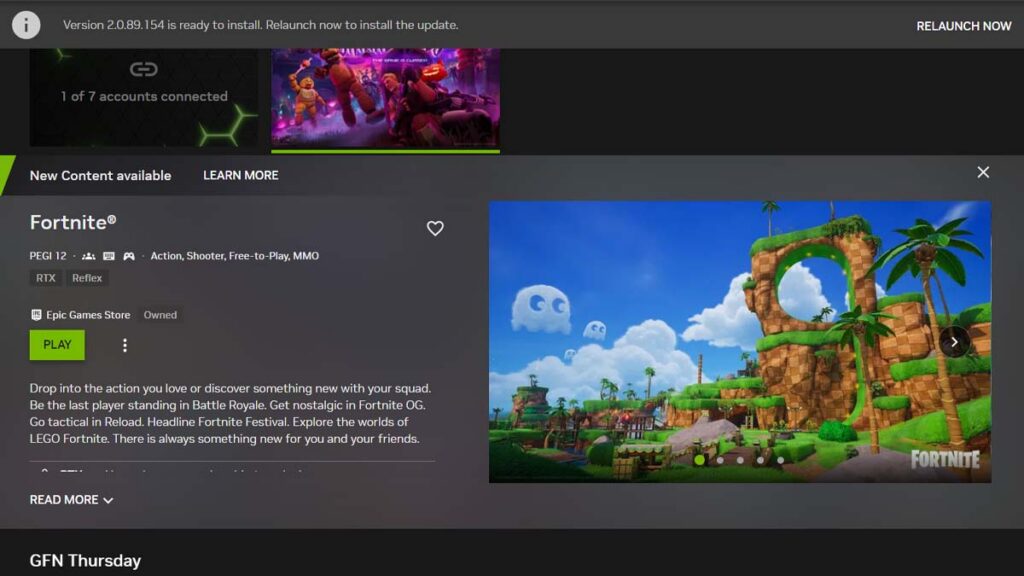
GeForce NOW streams the PC version of Fortnite from NVIDIA’s servers, and its Free membership costs nothing and needs no payment method. In return, free players watch up to two minutes of ads before each session, wait behind paying members in queues, and get sessions of up to one hour on basic servers.
Paid Performance and Ultimate memberships add longer sessions, priority access, and higher resolutions and frame rates. They come with 100 hours of premium playtime per month, with up to 15 unused hours rolling over. A Day Pass gives you 24 hours of paid benefits without a monthly plan.
To play Fortnite on GeForce NOW in a browser, follow these steps:
- Open GeForce NOW in Chrome or another supported browser.
- Sign in with your NVIDIA account, or create one and choose the Free membership.
- Search for Fortnite and select it.
- Select Play, and sign in with your Epic Games account when Fortnite asks.
- Wait for the ads and the queue to finish, and the game loads in your browser tab.
Linking your Epic Games account in the GeForce NOW settings saves you from signing in every session. Since the service counts as a new device for your Epic account, Epic may also ask for a 2FA code the first time you sign in, so keep your authenticator app or inbox nearby.
How to play Fortnite on GeForce NOW on iPhone, iPad, and Android
GeForce NOW has no App Store app, so iPhone and iPad players use Safari instead. Fortnite has its own touch controls there, which means a controller is optional on both iOS and Android. Follow these steps on an iPhone or iPad running iOS 15.4 or later:
- Open Safari and go to play.geforcenow.com.
- Tap the Share button and select Add to Home Screen.
- Open GeForce NOW from the new icon on your Home Screen.
- Sign in, select Fortnite, and tap Play.
On Android, GeForce NOW runs through its free app from Google Play rather than a browser. That app is a streaming client, not the game itself, so it doesn’t need the storage space a full Fortnite install does. Signing in, linking your Epic account, and the touch controls all work the same way as on iPhone.
How to play Fortnite on Amazon Luna with Prime
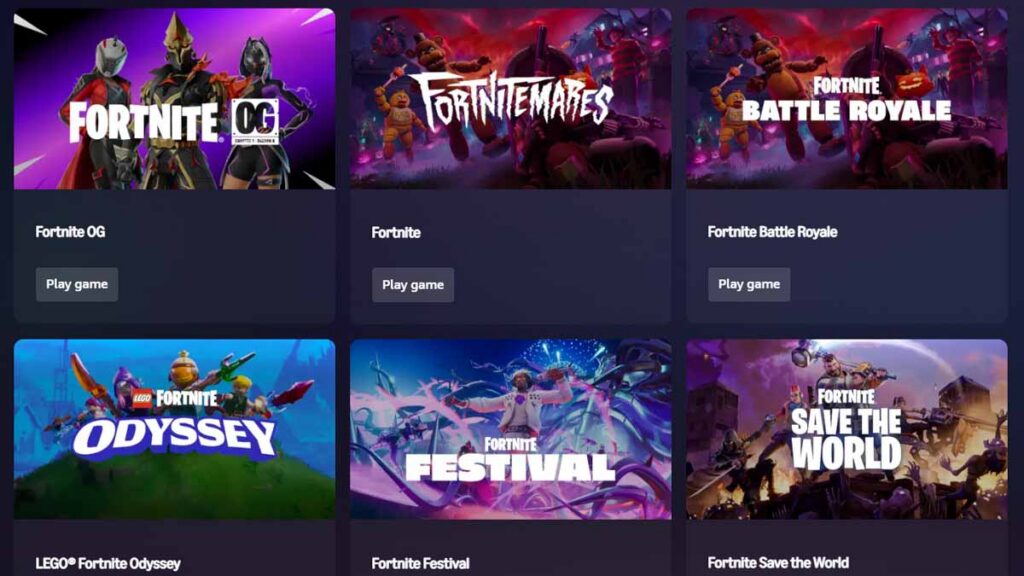
Amazon Luna includes Fortnite with an Amazon Prime membership, and Luna Premium subscribers can play it too. It’s important to note that Luna’s cloud games only work in 14 countries, and Amazon requires your Prime membership to be from the country you live in. If you meet both conditions, follow these steps:
- Open the Fortnite page on Amazon Luna in your web browser.
- Sign in with the Amazon account that has Prime or Luna Premium.
- Select Play.
- Link your Epic Games account when Luna asks, so your Locker and progress carry over.
Fortnite on Luna supports touch controls on mobile devices, a keyboard and mouse on Windows, Mac, and Chromebook, and Bluetooth controllers on every supported device. On Fire TV, you can launch Fortnite from the Luna app, and Prime members in a growing number of countries can also find Luna games in the Prime Video app.
Which countries support Fortnite cloud gaming?
None of the three services works everywhere, so check your country before you set anything up. If your country isn’t covered, the service usually won’t let you start a session, and a native download of Fortnite is the fallback.
| Service | Where it works |
|---|---|
| Xbox Cloud Gaming | 29 countries: Argentina, Australia, Austria, Belgium, Brazil, Canada, Czechia, Denmark, Finland, France, Germany, Hungary, India, Ireland, Italy, Japan, Mexico, the Netherlands, New Zealand, Norway, Poland, Portugal, Slovakia, South Korea, Spain, Sweden, Switzerland, the UK, and the US |
| GeForce NOW | North America, Europe, Japan, and India through NVIDIA, plus other regions through local GeForce NOW Alliance partners, which sell their own plans |
| Amazon Luna | 14 countries: the US, the UK, Canada, Germany, France, Italy, Spain, Austria, Poland, the Netherlands, Belgium, Sweden, Portugal, and Luxembourg |
Can you play Fortnite in a browser?
You can play Fortnite in a browser, but only through cloud gaming. There’s no browser version of the game itself, so Xbox Cloud Gaming, GeForce NOW, and Amazon Luna run Fortnite on their servers and stream it into a browser tab, with your clicks, taps, and button presses sent back to the server.
Each service supports a different set of browsers, and the right one depends on your device:
| Service | Windows | Mac | Chromebook | iPhone and iPad | Android |
|---|---|---|---|---|---|
| Xbox Cloud Gaming | Edge, Chrome | Safari, Edge, Chrome | Chrome | Safari, Chrome | Edge, Chrome |
| GeForce NOW | Chrome, Edge, Firefox, Opera GX | Chrome, Safari, Opera GX | Chrome | Safari | GeForce NOW app |
| Amazon Luna | Chrome, Edge | Chrome, Edge | Chrome | Safari | Chrome |
Be careful with sites that promise “Fortnite unblocked” in a browser or stream the mobile version through an emulator. They aren’t among the cloud services Epic lists for Fortnite, and typing your Epic Games login into a site Epic doesn’t support puts your account at risk.
Browser play also matters for parents, since it lets a child open Fortnite on a laptop without installing anything. Epic’s parental controls are tied to the Epic Games account rather than the device, so the time limits and chat settings in Fortnite parental controls still apply when a child streams the game.
Fortnite cloud gaming on iPhone, Android, Chromebook, Mac, and PC
Fortnite cloud gaming works on almost any modern device, but the best option changes from one to the next. On some devices, a native download is now the simpler choice, while on others, cloud gaming is the only official way to play the current version.
iPhone and iPad
Fortnite is back on the App Store, so cloud gaming on an iPhone or iPad is mainly a way to save storage or play on an older device. All three services stream it through Safari with touch controls, and any iPhone or iPad on iOS 15.4 or later meets the requirements of all three.
Android phones and tablets
Fortnite is also on Google Play, so cloud gaming on Android mainly helps on phones without much free storage. Xbox Cloud Gaming needs Android 12 or later, which makes the GeForce NOW app or Luna in Chrome the better options on older phones, as they support Android 7 and Android 10 respectively.
Chromebook
There’s no Chromebook version of Fortnite, and Epic points ChromeOS players to cloud gaming instead. All three services run in Chrome, and GeForce NOW asks for a Chromebook with at least 4GB of RAM. For keyboard and mouse play, GeForce NOW and Luna are the safer picks, as Xbox only documents mouse support on Windows, Mac, and Linux computers.
Mac
Both Save the World and Battle Royale launched on Mac when Fortnite came out in 2017. Unfortunately, Epic hasn’t updated the Mac version since 2020, so cloud gaming is now the only official way to play the current version of Fortnite on a Mac.
Windows PC
Fortnite runs natively on Windows through the Epic Games Launcher, so cloud gaming on a PC is mostly for low-end laptops, shared computers, or skipping a large download. All three services work in Edge or Chrome on Windows and support a keyboard and mouse, with GeForce NOW also offering a desktop app.
Smart TVs, Linux, and Steam Deck
Xbox Cloud Gaming, GeForce NOW, and Luna all have apps for select smart TVs, where a controller is the way to play. GeForce NOW is also the only one with Linux and Steam Deck apps, which helps while players wait for the native Linux version of Fortnite.
Fortnite cloud gaming requirements: internet speed and input lag
Your connection matters far more than your hardware with Fortnite cloud gaming, as the server does the heavy lifting and your device only plays back a video stream. These are the speeds each service officially recommends:
| Service | Official speed guidance | Also recommended |
|---|---|---|
| Xbox Cloud Gaming | At least 10 Mbps on phones and 20 Mbps on computers and tablets | 5GHz Wi-Fi or a mobile data connection |
| GeForce NOW | 15 Mbps for 720p at 60 FPS, 25 Mbps for 1080p at 60 FPS | Under 80 ms of latency to an NVIDIA data center, plus a wired connection or 5GHz Wi-Fi |
| Amazon Luna | At least 10 Mbps | Works on both 2.4GHz and 5GHz Wi-Fi |
Latency, the time it takes your inputs to reach the server and the picture to come back, matters as much as raw speed. Every cloud game adds some delay compared with a native install, which is why a wired connection or 5GHz Wi-Fi close to your router is the best way to keep that delay low.
Xbox Cloud Gaming and GeForce NOW both work over mobile data, but a stream uses data quickly, and NVIDIA warns that streaming on a phone’s data plan can use it up fast. Stick to Wi-Fi when you can, and avoid sharing your connection with large downloads or video streams while you play.
On a good connection, the delay is easy to live with in casual matches, Creative islands, or LEGO Fortnite. However, if you play Ranked or tournaments, a native install is the better choice, as no connection can fully remove a cloud stream’s input delay or picture compression. Once you’ve made the switch, our guide to Fortnite ranks in order explains how the ladder runs, while our tips on how to get better at Fortnite cover the aim, movement, and fight habits that help you climb it.
Which Fortnite modes can you play with cloud gaming?
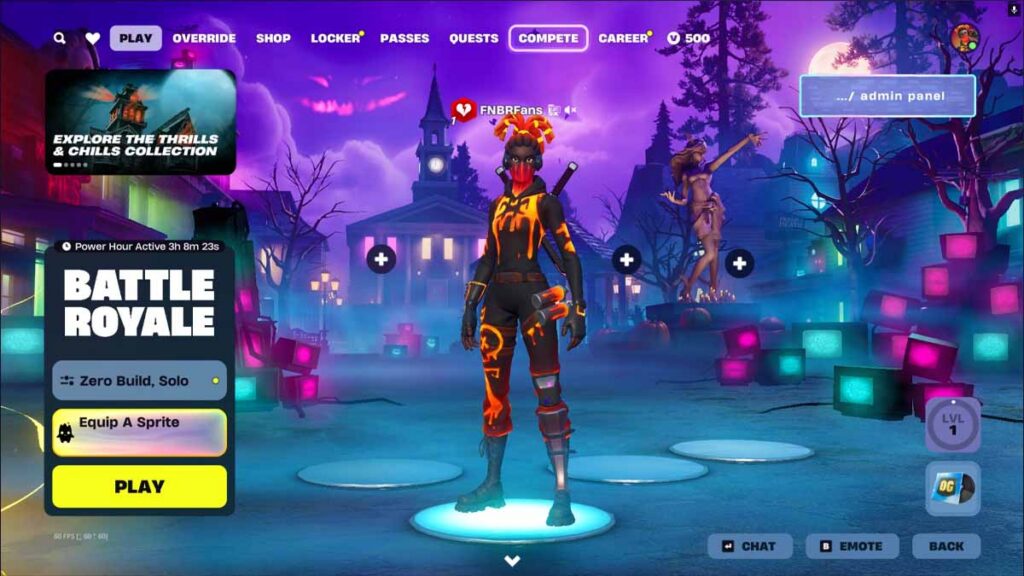
Cloud gaming gives you the full version of Fortnite, including Battle Royale, Zero Build, Reload, Fortnite OG, LEGO Fortnite, Fortnite Festival, and creator-made islands. Your Locker and Battle Pass progress follow you as well, as long as the service is linked to the same Epic Games account you use everywhere else.
Save the World is the main exception. Epic’s cloud FAQs list the co-op campaign as unavailable when you stream on a phone or tablet through Xbox Cloud Gaming or GeForce NOW, so use a computer if you want to play it in the cloud.
Codes and purchases carry over the same way as your progress. Items you unlock when you redeem a Fortnite code appear on every device linked to your Epic Games account, and any item you buy while streaming stays in your Locker. Our Fortnite account value calculator estimates what that Locker is worth.
Fortnite cloud gaming not working? Common problems and fixes
Most Fortnite cloud gaming problems come from the account, the connection, or the limits of a free plan rather than from Fortnite itself. These are the most common ones and how to fix them:
| Problem | Fix |
|---|---|
| The service won’t start a session | Check that it’s available in your country and that you’re using a supported browser and device |
| The stream ends after an hour | Free sessions on Xbox Cloud Gaming and GeForce NOW last up to one hour, so relaunch Fortnite to start a new one |
| You wait a long time before the game loads | Free players queue behind paying members on GeForce NOW, and Xbox can queue at busy times, so try again at a quieter time of day |
| Your Locker is empty | The service is linked to a different Epic Games account, so sign in with or link the account you use on other platforms |
| Your mouse doesn’t work on Xbox Cloud Gaming | Switch to Edge or Chrome, put the stream in full-screen mode, and click inside the game |
| The picture is blurry or the game stutters | Move closer to your router, switch to 5GHz Wi-Fi or a wired connection, and pause downloads on other devices |
| Luna won’t let you play Fortnite | Check that your Prime membership is from the country you live in and that Luna’s cloud games run there |
Signing in to a cloud service means entering your Epic Games login on yet another device, so it’s a good time to enable 2FA in Fortnite if you haven’t already. In addition to that, our list of the best XP maps in Fortnite helps you make the most of a one-hour free session, and you can also use cloud gaming to unlock all the free skins in Fortnite.
Frequently Asked Questions
Fortnite cloud gaming can be completely free. Xbox Cloud Gaming streams Fortnite to anyone with a free Microsoft account, and GeForce NOW has a Free membership tier. Amazon Luna is the exception, as it needs an Amazon Prime membership or a Luna Premium subscription.
Free Fortnite sessions on Xbox Cloud Gaming last up to one hour. When the hour is up, the stream ends, but you can launch Fortnite again straight away and start a new session.
No, Fortnite streams for free on Xbox Cloud Gaming without any Game Pass plan. All you need is a free Microsoft account with an Xbox profile.
Yes. All three services offer touch controls for Fortnite on phones and tablets.
Yes, your Fortnite progress carries over as long as the cloud service uses the same Epic Games account you play on elsewhere.